Making Firefox's right-click not suck with about:config

joshua.hu
March 4, 2026
4 min read
🔥🔥🔥🔥🔥
63/100
Summary
Firefox on MacOS displays a cluttered right-click context menu with 26 options, including greyed-out items and multiple submenus. Users can modify the context menu's behavior through the about:config settings to improve usability.
Key Takeaways
- Users can disable multiple unnecessary options in Firefox's right-click menu by adjusting settings in about:config.
- Disabling specific settings can reduce the number of buttons in the right-click menu from 26 to 15.
- Some right-click menu items, such as "Bookmark Link..." and "Check Spelling," cannot be removed through about:config settings.
- The article criticizes the cluttered design of the right-click menu in Firefox, highlighting the inclusion of features that many users may find unnecessary.
Coverage & discussions
Hacker News · joshua.hu
Community discussions
Community Sentiment
Positives
- The customization options available through about:config empower users to tailor Firefox to their specific needs, enhancing the overall user experience.
- Sharing user.js files for configuration helps streamline the setup process, making it easier for users to maintain their preferred settings across installations.
Concerns
- The trend of removing functionality from user interfaces can alienate power users who rely on advanced features, leading to frustration and dissatisfaction.
- Greyed-out menu items can confuse users, as they may indicate missing functionality or permissions, which complicates the user experience and support.
Related Articles

Tooltips need a delay, and then they need to skip it
Aug 25, 2026
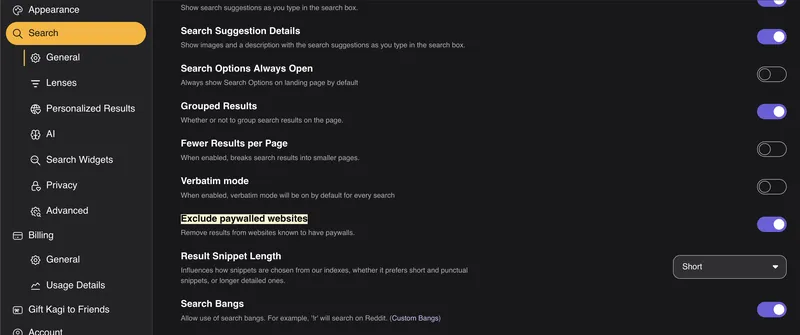
Kagi added a setting for removing paywalled links from search results
Aug 21, 2026

HackEurope 2026: A short rant on AI and hackathons
Aug 17, 2026

Linus Torvalds says Linux is not an anti-AI project, and if you don't like that, then "fork it or just walk away"
Jul 17, 2026

macOS needs its grid back
Jun 2, 2026