


Chrome's AI features may be hogging 4GB of your computer storage
Google Chrome may automatically download a 4GB weights.bin file to its system folders when certain AI features are enabled, leading to unexpected drops in available storage for users. This on-device AI model file is installed in the browser directory, contributing to increased storage usage.
theverge.com
2 min
5/10/2026
Firefox 148 Launches with AI Kill Switch Feature and More Enhancements
Firefox version 148 introduces an "AI kill switch" feature that allows users to disable AI functionalities such as chatbot prompts and AI-generated link summaries. Users can access this feature through Settings > AI Controls, and once disabled, future updates will not reactivate the AI features.
serverhost.com
1 min
2/24/2026
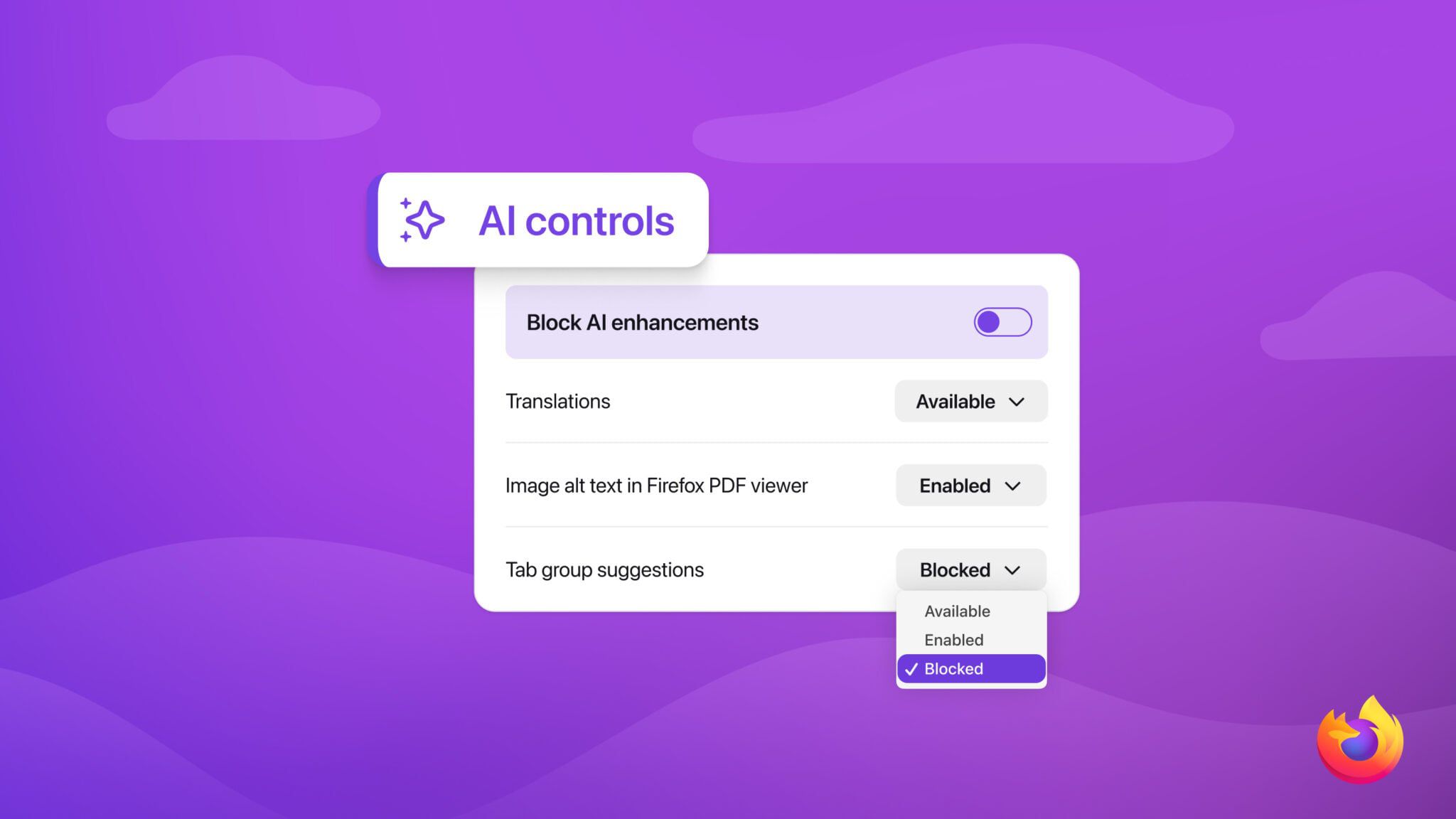
Kagi Changelog (July 2): Heads, tails, and an AI toggle
Kagi Search now includes an option to completely disable AI-based features in the search settings. This feature will also be added to the onboarding process for new users to personalize their experience.
kagi.com
4 min
7/3/2026
Chrome's AI features may be hogging 4GB of your computer storage
Google Chrome may automatically download a 4GB weights.bin file to its system folders when certain AI features are enabled, leading to unexpected drops in available storage for users. This on-device AI model file is installed in the browser directory, contributing to increased storage usage.
theverge.com
2 min
5/10/2026
Siri AI
Next-generation Apple Intelligence and Siri AI introduce enhanced features across iOS 27, iPadOS 27, macOS Golden Gate, watchOS 27, and visionOS 27. These updates aim to improve user interaction and functionality within Apple's ecosystem.
apple.com
1 min
6/8/2026
Firefox 148 Launches with AI Kill Switch Feature and More Enhancements
Firefox version 148 introduces an "AI kill switch" feature that allows users to disable AI functionalities such as chatbot prompts and AI-generated link summaries. Users can access this feature through Settings > AI Controls, and once disabled, future updates will not reactivate the AI features.
serverhost.com
1 min
2/24/2026
Kagi Changelog (July 2): Heads, tails, and an AI toggle
Kagi Search now includes an option to completely disable AI-based features in the search settings. This feature will also be added to the onboarding process for new users to personalize their experience.
kagi.com
4 min
7/3/2026
Firefox 148 Launches with AI Kill Switch Feature and More Enhancements
Firefox version 148 introduces an "AI kill switch" feature that allows users to disable AI functionalities such as chatbot prompts and AI-generated link summaries. Users can access this feature through Settings > AI Controls, and once disabled, future updates will not reactivate the AI features.
serverhost.com
1 min
2/24/2026
Siri AI
Next-generation Apple Intelligence and Siri AI introduce enhanced features across iOS 27, iPadOS 27, macOS Golden Gate, watchOS 27, and visionOS 27. These updates aim to improve user interaction and functionality within Apple's ecosystem.
apple.com
1 min
6/8/2026
Chrome's AI features may be hogging 4GB of your computer storage
Google Chrome may automatically download a 4GB weights.bin file to its system folders when certain AI features are enabled, leading to unexpected drops in available storage for users. This on-device AI model file is installed in the browser directory, contributing to increased storage usage.
theverge.com
2 min
5/10/2026
No more articles to load