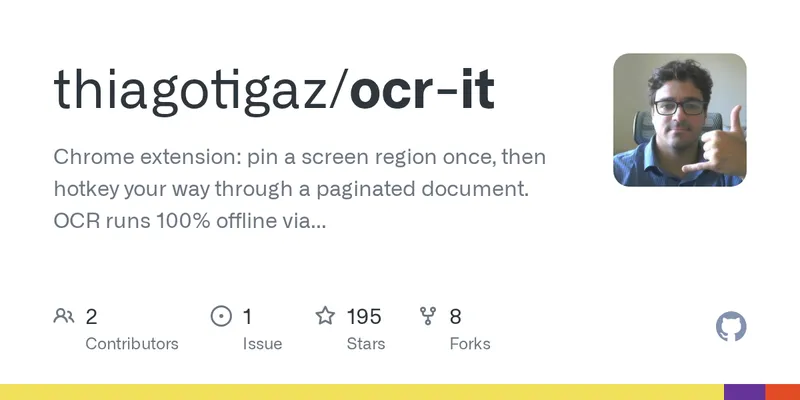
OCR It – pull text out of un-copyable documents for your LLM
OCR It is an unpacked Chrome extension that captures a fixed on-screen region from paginated documents, recognizes its text locally, and builds an editable transcript. Users draw the capture region once, then press Option-Shift-S on each page; screenshots are queued while bundled Tesseract OCR runs in the background. Option-Shift-A can automate capture and page turning until the document ends, while Option-Shift-R redraws the region. Exports preserve page order with page-number separators, and each captured page retains a thumbnail for checking crop alignment or rerunning faulty OCR. The extension makes no outbound network requests and requires no API key. It ships with English, Portuguese, and Spanish Tesseract models; additional models from Tesseract’s roughly 100 supported languages can be bundled before installation. Automatic page turning can target a clicked screen coordinate or dispatch a key such as ArrowRight, including in cross-origin iframes and Shadow DOM when the necessary site permission is granted. Runs stop after two identical pages by default, on OCR failures, failed page turns, a 300-page cap, tab closure, or browser restart. Chrome’s PDF viewer supports manual capture and text extraction, but cannot be auto-advanced because extensions cannot inject into its plugin. OCR accuracy depends on source quality; crisp rendered text is reported to reach more than 90% confidence, while scans and handwriting may need cleanup.
github.com
11 min
8/25/2026

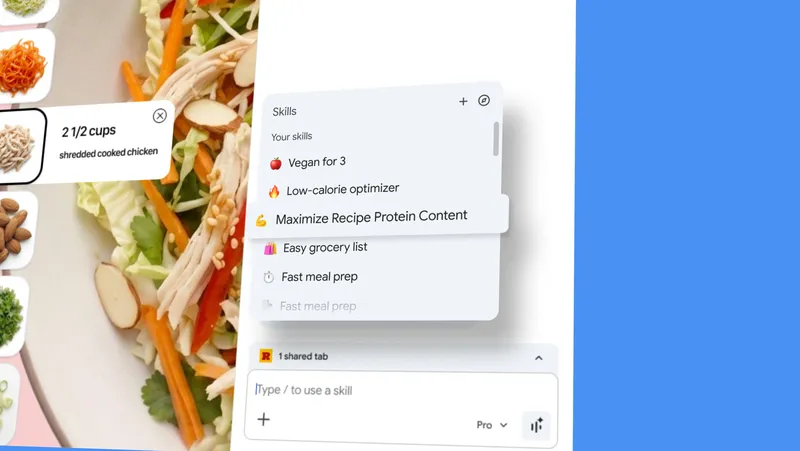
Turn your best AI prompts into one-click tools in Chrome
Skills in Chrome allows users to save and reuse AI prompts for various tasks, streamlining the process of accessing AI assistance across different web pages. This feature enhances productivity by enabling one-click execution of previously used prompts.
blog.google
2 min
4/14/2026
OCR It – pull text out of un-copyable documents for your LLM
OCR It is an unpacked Chrome extension that captures a fixed on-screen region from paginated documents, recognizes its text locally, and builds an editable transcript. Users draw the capture region once, then press Option-Shift-S on each page; screenshots are queued while bundled Tesseract OCR runs in the background. Option-Shift-A can automate capture and page turning until the document ends, while Option-Shift-R redraws the region. Exports preserve page order with page-number separators, and each captured page retains a thumbnail for checking crop alignment or rerunning faulty OCR. The extension makes no outbound network requests and requires no API key. It ships with English, Portuguese, and Spanish Tesseract models; additional models from Tesseract’s roughly 100 supported languages can be bundled before installation. Automatic page turning can target a clicked screen coordinate or dispatch a key such as ArrowRight, including in cross-origin iframes and Shadow DOM when the necessary site permission is granted. Runs stop after two identical pages by default, on OCR failures, failed page turns, a 300-page cap, tab closure, or browser restart. Chrome’s PDF viewer supports manual capture and text extraction, but cannot be auto-advanced because extensions cannot inject into its plugin. OCR accuracy depends on source quality; crisp rendered text is reported to reach more than 90% confidence, while scans and handwriting may need cleanup.
github.com
11 min
8/25/2026
Turn your best AI prompts into one-click tools in Chrome
Skills in Chrome allows users to save and reuse AI prompts for various tasks, streamlining the process of accessing AI assistance across different web pages. This feature enhances productivity by enabling one-click execution of previously used prompts.
blog.google
2 min
4/14/2026
OCR It – pull text out of un-copyable documents for your LLM
OCR It is an unpacked Chrome extension that captures a fixed on-screen region from paginated documents, recognizes its text locally, and builds an editable transcript. Users draw the capture region once, then press Option-Shift-S on each page; screenshots are queued while bundled Tesseract OCR runs in the background. Option-Shift-A can automate capture and page turning until the document ends, while Option-Shift-R redraws the region. Exports preserve page order with page-number separators, and each captured page retains a thumbnail for checking crop alignment or rerunning faulty OCR. The extension makes no outbound network requests and requires no API key. It ships with English, Portuguese, and Spanish Tesseract models; additional models from Tesseract’s roughly 100 supported languages can be bundled before installation. Automatic page turning can target a clicked screen coordinate or dispatch a key such as ArrowRight, including in cross-origin iframes and Shadow DOM when the necessary site permission is granted. Runs stop after two identical pages by default, on OCR failures, failed page turns, a 300-page cap, tab closure, or browser restart. Chrome’s PDF viewer supports manual capture and text extraction, but cannot be auto-advanced because extensions cannot inject into its plugin. OCR accuracy depends on source quality; crisp rendered text is reported to reach more than 90% confidence, while scans and handwriting may need cleanup.
github.com
11 min
8/25/2026
Turn your best AI prompts into one-click tools in Chrome
Skills in Chrome allows users to save and reuse AI prompts for various tasks, streamlining the process of accessing AI assistance across different web pages. This feature enhances productivity by enabling one-click execution of previously used prompts.
blog.google
2 min
4/14/2026
No more articles to load